Posts

Showing posts with the label URL to PDF

Tips to encrypt documents and PDF files with Office

Image
Microsoft Office allows you to encrypt your documents or secure your PDF files, which makes it possible to protect your document with a password. In other words, if you set a password on a document, then no one can open it without it. In this article we’ll tell you how to password protect documents and PDF files. The instruction was created in Office 2016 but is suitable for other versions of the office. How secure is it to password protect a document? In Office 2007 and above, Microsoft took security more seriously and switched to Advanced Encryption Standard (AES). Now, if you set a password for a document, it will be very difficult to crack it, and in theory your document will be completely safe. In document protection, you can set a password for editing a document. That is, a person without a password will be able to view documents, but not edit. This type of protection can be easily cracked and removed. Therefore, if you set a password, then it is desirable f...

How to Securely Send Files over the Internet

Image
  Password protect (or encrypt) files before sending One of the best ways to protect our files when we are going to send them over the Internet is to protect them with a password so that if someone gets hold of it, they cannot open it. Or you can also protect them from copying and pasting by converting them word to PDF . Use PDF Beaver to convert your word files to PDF and send them securely to anyone. There are several ways to do this. One of the easiest for users is to compress them into a ZIP or RAR and protect access to that file with a password. In this way, only those who have the password will be able to open the file. Another, much more secure way to protect data is to apply some form of encryption to files. Encryption completely modifies all the code in the file, so there will be no way to open it without the corresponding key to decrypt it. If we opt for this security measure, we must take into account some aspects: We must use long, strong and random ...

How to Organize Digital Documents?

Image
For both a business and personal environment, organizing digital documents in the right way is increasingly important. However, it is in the business environment where some companies generate losses of tens of thousands of euros due the impossibility of locating existing information in their own databases.  The fact that any type of document is unreachable can result in the loss of valuable working time or the inability to use information that has been obtained at a certain cost at the time. For this reason, we will consider below some methods of carrying out an adequate treatment of digital documents even your webpage to PDF too.  Properly organize digital documents Despite what you tend to think, the digitization of documents does not make storage easier. Files, whether located in the cloud, loca lly on computers or on private networks, need some file habits and methods that make it easier for users and search engines to identify and locate them. Es...

How to Convert your PPT to PDF file Significantly, at no cost, using PDF Beaver.

Image
PPT to PDF At one point or the other, it is necessary to convert PowerPoint presentations to PDF format for distribution or printing. PDF Beaver is the optimal solution for this type of problem since your virtual printer offers an excellent level of control over the conversion parameters while making the process quick and easy. It allows users to convert PowerPoint presentations to PDF format in a few easy steps: Here are the steps to convert PPT to PDF:     1. Click ‘Choose file’ in the toolbox above.     2. PDF Beaver will upload and start to work on the file right away.     3. Wait for the extraction to finish and download your PPT. Most Convenient and Safe Converter PDF Beaver is a very excellent and a tool known for its rich features when it comes to converting multiple files to PDF format. Basic converter tools may help to convert your files to PDF substantially- while keeping the content safe and identical to the original version of PP...

PDF Beaver - All-in-all solution for Converting files to PDF

Image
Microsoft Excel is used for working with spreadsheets. In addition to distributing data into cells, it allows you to perform mathematical functions and build the corresponding diagrams. It is capable of loading data from external sources and databases. The structure of the final document as a result becomes quite complex and contains both internal and external links. The above factors make it difficult for you to maintain workflow in Excel format. To be 100% sure that the recipient will be able to open the documents you sent, it makes sense to convert Excel documents to PDF before sending them by e-mail. For this purpose, we have designed an advanced online conversion tool to make conversion process easy for you. Quickly convert spreadsheets to PDF by PDF Beaver We offer you Free Excel to PDF Converter that allows you to convert your Excel documents to PDF files in just couple of seconds. Designed specifically for use with the popular manufacturer, PDF Beaver Converter is...

PDF Beaver — The Convenience of Converting Your Web Page to PDF!

Image
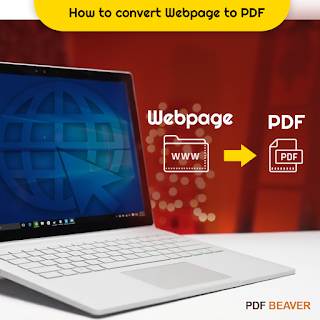
There are some situations in which it is better to convert a file from HTML to PDF: for example, if you want to save an article, instructions or other content from the Internet for access to them without connecting to the Internet. PDF is one of the most widely used formats and is supported by all platforms, so you can open PDF files on almost all computers and in every operating system. Therefore,  PDF Beaver  has come up with an interesting online tool that  converts   web pages to PDF  directly in your browser. If you want to save your  web page in PDF format , you can easily access our special program like   Online PDF Converter   that converts individual pages of the site to PDF directly from the browser. How you could benefit from our online program? There are good reasons for choosing our specific software: for example, the application presented here can better reproduce all the details of the page layout, in contrast to what happen...

Convert JPG to PDF Online for Free

Free and easy-to-use online tool to convert JPG to PDF . No registration or installation is required to access. PDF Beaver is free for anyone for access and use, for all your documents needs, for free online converter. There are tool for convert file formats, merge PDF, Secure PDF, compress PDF or electronic signature. We recommend to use our PDF Beaver to easily and securely convert JPG to PDF which contain or secure your personal data. How to Convert JPG Image to PDF Online : 1) Open the JPG to PDF converter page 2) Drag and Drop your file in it. Our server will save your file into PDF, wait for few seconds 3) Click on Download. 4) And that's all there is. Save the converted PDF to your computer. If in case after convert, file is not according to your need or you want add changes, then you can contact with us by contact form. One of our expert will be connect with you in few seconds. We also believe that the best tool for yourself is the ...

How to Save a Webpage to PDF Online

If you want conversion of PDF into editable formats such as Excel, Word, PPT, PNG etc. Whatever your reason is if you need a PDF Conversion, then you can choose PDF Beaver that give you a pleasant experience. Here, you can easily convert your any document into PDF in a very simple or easy way. Convert any Webpage to PDF format via a simple drag-and-drop free to use online PDF Converter You can use the PDF Beaver converter tool to convert you document and save it instantly, in a few quick steps. How to save a Webapage as a PDF : 1) Open the Webpage to PDF 2) Put down the URL into the box and click on Convert to PDF 3) Wait for few second as our tool convert your webapge 4) Download your PDF and Save it where you want. How does PDF Beaver Works ? As files uploaded and you want to deleted, then don’t worry after an hour of processing, file will be deleted. PDFBeaver.com can be accessed via your any internet browser on any device like –...

Secure Your PDF Data by Encrypting Your PDF File

Image
Encrypting your PDF file allows you to protect the sensitive and private information in your your files even if you share the file over the Internet or through email. We discuss the possible ways of securing this file using encryption techniques and the advantages of each technique. Since PDF files are being used increasingly by even major organizations to convey and share technical information, many of which are possibly of a sensitive nature, it is very important for creators and users to understand how they can make these files secure to protect private or sensitive information. Fortunately, Adobe has already thought of these possibilities and has provided several techniques using which you can ensure the security of your files. For example, you could use digital signatures in documents or forms that need verification or approval, documents can be certified so that no subsequent changes can be made and of course, passwords can be added to the document making it impossible for a...

Easiest Way to Convert PNG to PDF Online

Image
PDF is one of the most secure methods for imparting document to numerous beneficiaries. It is the best arrangement to transfer a report to the Internet with no stresses of duplicating or hardening of its substance. In any case, there are in some cases it turns into somewhat tricky to deal with the PDF documents because of its non-editable component which is it most grounded attribute, from the security perspective. Assume, you run over any error in the recently arranged archive and you need to make redresses on it, at that point it isn't possible without utilizing exceptional programming or toll for altering PDF. Most ordinarily, when you are required to incorporate the pictures on the PDF document in your introduction, you should change over PDF to JPG . There are some PDF converters that assist you with extricating pictures from PDF so they can be reused. Therefore, when you are about to choose a software for PDF conversion, you must check whether it is capable of convertin...

How to Convert Office to PDF

Image
In this modern and informational society, most people's work is involved with computer which has a good relationship with Office. As Office is the most common and popular tool, using Word documents to write an article, Excel for storing a good quantity of data, and if you want to demonstrate something, PowerPoint's presentation function is a fine assistant. As the communication and sharing is important in this informational circumstance, how to share our articles, spreadsheet and reports but without changing by others? Usually, people use a read-only PDF format which is also world-widely popular now. Below are some cases to show the need to convert Office to PDF. You may meet one of them before. Word to PDF: Writers often publish articles but need to protect their copyrights; sectaries have written down meeting minutes and need to keep these records as non-change documents. Excel to PDF : In case you need to share an Excel after you analyses and calculate a large ...

Converting PPT to PDF

Image
It is very easy to convert a PPT to PDF, there are many programs that can do it. But the best program to use in converting a PowerPoint file to PDF is PDF. PDF Beaver a family of programs designed to view, create, manipulate and manage files in PDF. PDF Beaver is a free trial version which you can use for a period of time. To convert PPT to PDF you need to run Adobe acrobat. Go through the PDF , click "File" in the menu bar and in the drop down list that appears choose "Create PDF" and then select "From File". A selection box will pop up allowing you to get into the folder that contains the PowerPoint file you want to convert. select your PPT file and click the "Open" button. PDF Beaver will immediately start converting your file after you click the "Open" button. The amount of time it will take to convert a PPT file will depend on the number of slides in it. Depending on your computer's speed and the contents of each slide, it...

Easy Way to Combine or Merge PDF Files Online

Do you often face a challenge of combining or merge PDF documents into one? If yes, then you can choose PDF Beaver. PDF Beaver is a specialized program designed to simplify the process of merging several PDF files into one. It is a leading developer of converters, graphic tools, multimedia, and system tools, has extensive experience in programming and, thus, all its products are distinguished by excellent quality. PDF Beaver features user-friendly interface and a wide variety of options, which fact makes the program suitable for advanced as well as novice users. You can create secured file using PDF Beaver tool. Features that make Combine and Merge PDF online . It allows viewing all PDF files irrespective of size with ease. You can convert files created in word to PDF format to prevent modification of the file by the user. You need to select good PDF Beaver to create or convert any document into PDF documents.

Combine & Merge PDF File When PDF File Becomes Difficult to Manage

PDF are otherwise called PDF files, are known to be an all inclusive document organization to share documents and reports. PDF files are broadly utilized by understudies, managers, authorities and so forth for corporate just as close to home use. This files organization empowers client to change over any sort of document to PDF archives with the assistance of a variety of free apparatuses that are effectively accessible on the web. PDF information are viewed as the most commonsense sort of records as it rearranges the work completed at working environments. It gives you a chance to spare a ton of room on your hard plate as it pack the first document size to the sensible record measure. These records are utilized widely for making digital books, client guides, reports, advertising pamphlets, client manuals on account of the advantage of moving information electronically without changing content, picture, archive arrangement and record properties of the first record. Var...